
Field Notes
How I built LeadTruffle's Internal AI Assistant
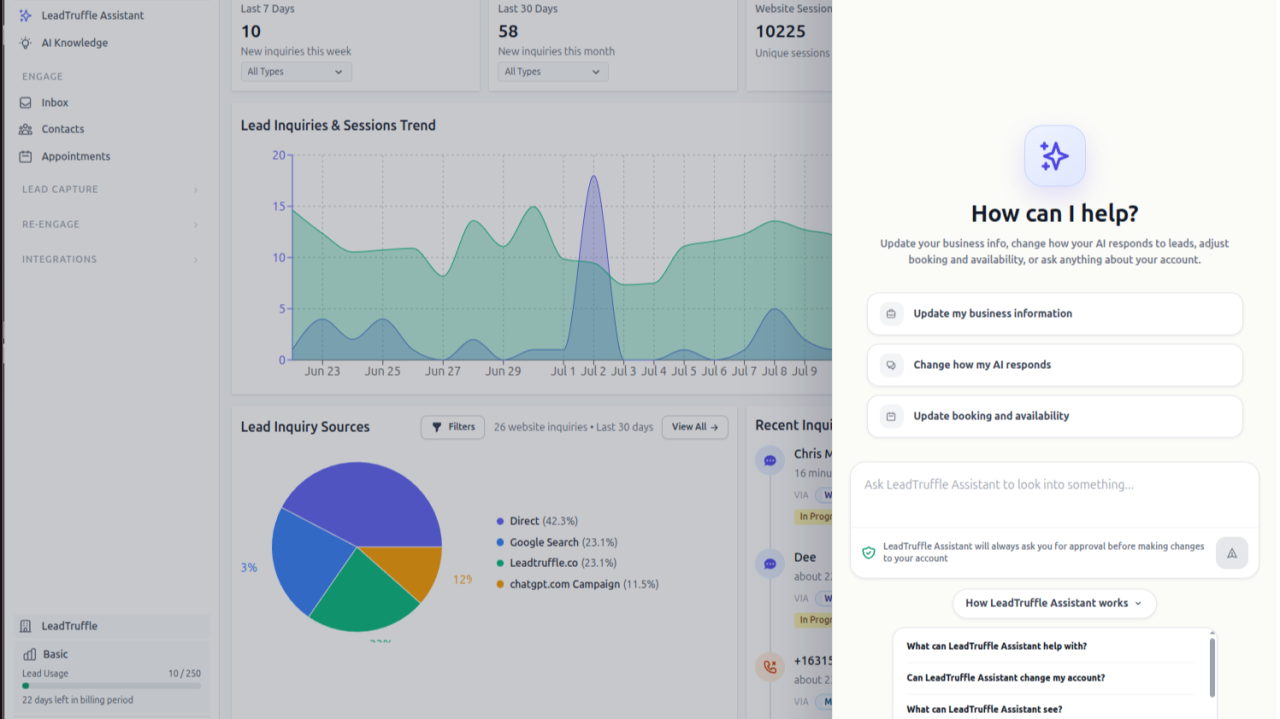
LeadTruffle has increased in surface area from being a simple SMS-based chat system for handling lead intake to a unified inbox that handles every third-party lead aggregator that home service businesses in the USA commonly use.
The increased surface area and increased complexity have made it harder for users to navigate the app and make configuration updates in the different areas of the app.
Obviously, the answer here is to make a built-in AI that can do tool calls for them.
I had been putting off doing this for a really long time because I wasn’t all that confident the AI agents would be good enough to do this well, but that definitely stopped being true in the last 6 months. I think any of the newer Opus or GPT models can do this well now.
The other issue, of course, is our own complexity—under the hood the API surfaces are not exactly simple either. There are a lot of edge cases and there are old legacy features that some customers still use.
This is something I’m still continuing to resolve, and you are always going to be juggling what docs and tools you expose, I think.
High-Level Architecture
At a high level, here is how it works:
- I used Vercel’s open-source AI SDK as the main harness, but actually didn’t end up using a ton of the features directly.
- I use both OpenAI directly and OpenRouter as a fallback.
- I have built a brokered tool discovery system instead of exposing all tools in context immediately.
- The model’s intelligence and tool calling in loops are meant to drive problem-solving and diagnosis.
- I’m doing progressive evidence loading for large tool call results to reduce context pressure.
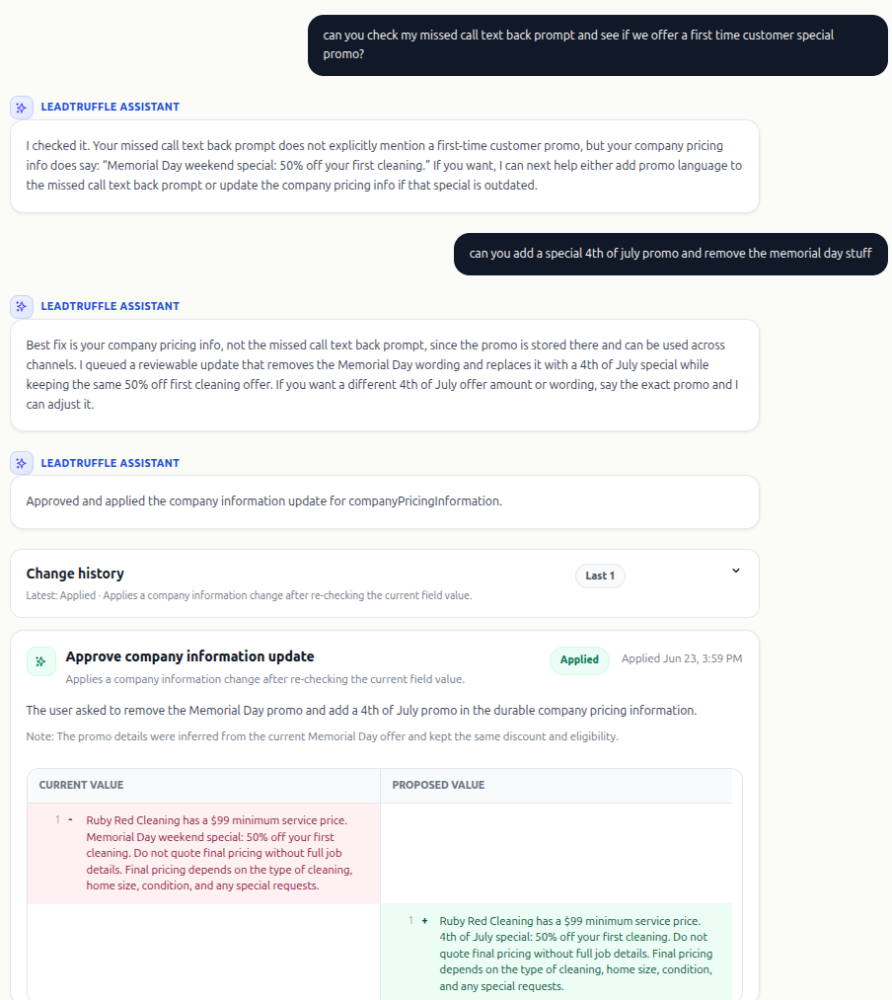
- Mutations to data can ONLY be performed after a preview is presented to a user and the user clicks “Approve.”
- I expose all the help articles with a search tool so the agent can learn about things in more depth if it needs to.
- I built in tool budgets, caching, provider fallbacks, telemetry.
- It launched with 43 scenario evals, and I’m adding more every week as we see usage.
Example of the approval flow:
Evals Evals Evals
Evals have been the biggest thing I leaned on while developing this.
I developed a few early on and kept adding to them as I added in more tools and changed the architecture.
The one issue is that Evals can get pretty expensive and slow to run large suites of them. So you need to have a smaller number of evals that cover most of the cases and you need to ideally be able to run them with a faster, cheaper AI that performs almost as well as the more expensive, slower AIs.
For me during the development process the faster, cheaper kind of good AI was always a Gemini Flash model or a Grok model. Then in production the primary is a smarter OpenAI model that is excellent at calling tools and has good judgement.
I would also say an Anthropic model would be a great choice for this too, but I just haven’t been using Anthropic in production over the past year too much because they seem to go down very frequently and Opus is extremely expensive (and also has weird/complex caching behavior).
Another option is the Chinese open-source models. However, there are a lot of issues with these for a chatbot. You have to pick a reliable hosting provider that is in the USA, not just for data security but because of latency. But which US-based hosting providers do well hosting open-source models?
You are looking for a model + host that is reliable, cheap and fast. Fast as in high token throughput. This is actually hard to find and it’s why at the end of the day Google, xAI, and OpenAI are actually the best providers of high-performance, reliable inference (chatbots). At least that’s been my experience recently. It may of course change in the future!
Maintenance
This is actually a bit easier than I expected. Usually when I see a bad interaction with a customer, I use it to try to fix the problem and write another eval proving it’s fixed. Usually, this involves changing context management or building a new tool or making the tool usage clearer to the AI.
So the usage itself allows me to write more evals and fix the assistant.
Conclusion
The LeadTruffle Assistant has been useful both for customers and for our internal work dealing with customer support tickets.
It was fairly quick to set up and get going, but the really time-consuming process was slowly adding more tools for various use cases and adding all the evals to make sure it was capable of doing all the actions we wanted it to be able to do.
If you are running a SaaS business or anything like it with a heavy support burden, I strongly suggest you make your own AI agent that makes tool calls that allow it to diagnose and solve problems as an integrated copilot. It’s massively useful.